Call the stat out loud and StatCall logs it against that player's jersey number. A full stat line for every player, and a coaches report ready at full time — without ever looking down at a clipboard.


The demo team is free, and stays free.
Why it exists
You can't watch the game and write on a page at the same time.
StatCall started on the sideline of an under-11s rugby league side, where we were keeping the stats and wanted real data for the coaches — more than just tackles and hit ups. We wanted to see who's improving and where the problems are. Real data to help the coaches move forward, not a general overview and a couple of scratches on a clipboard.
The trouble is that every time you look down to write, you miss the play you're supposed to be watching. And what you do write can't be trended, compared or shared. So you either spend Sunday night typing it into a spreadsheet, or you lose it.
So we built the thing we needed. You already call the stats out loud on the sideline. StatCall just listens.
— Made on the Gold Coast, on the sideline of a junior Nerang Roosters side.
How it works
There's nothing to learn on game day. Set the team up once and the rest is calling out what you'd say anyway.
Type in the jersey numbers and names once. Rosters are kept per season, so changing a number next year never rewrites last year's stats.
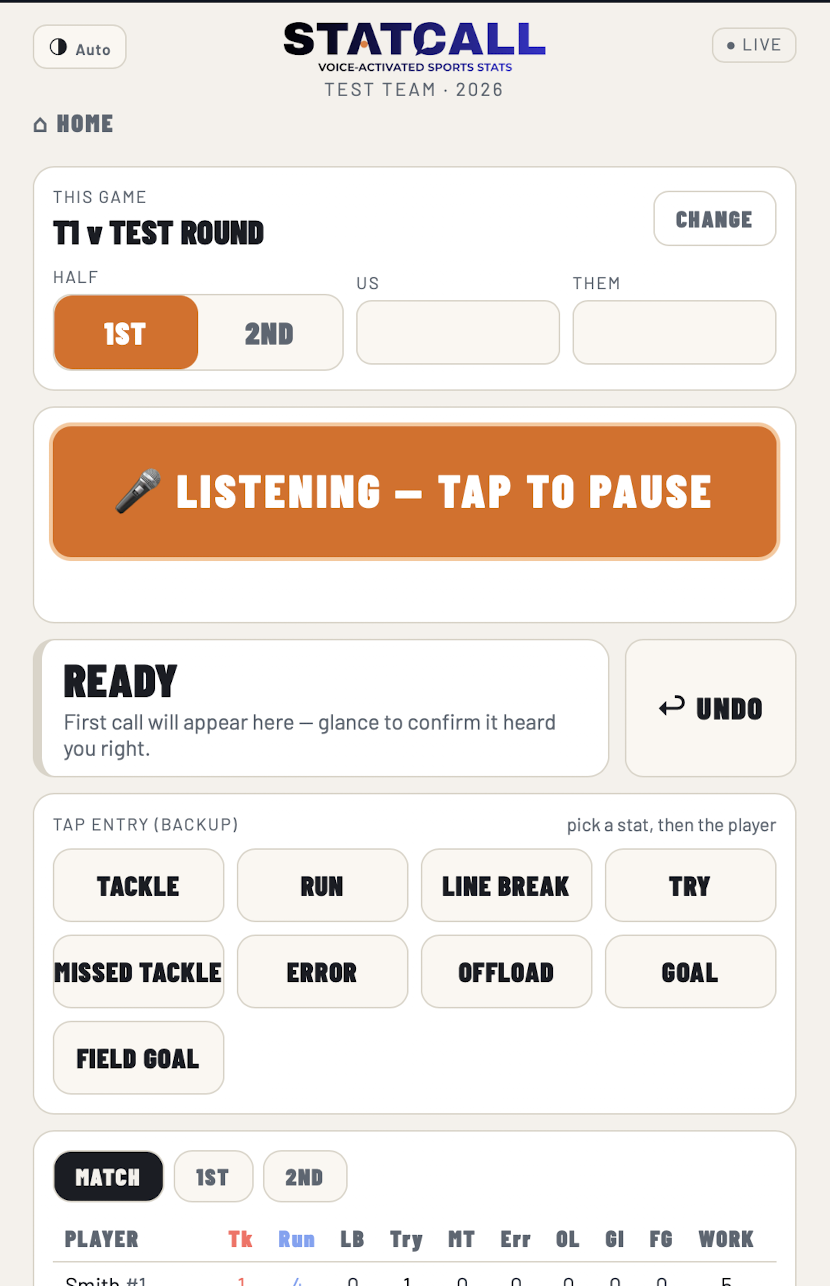
“Tackle four.” “Try twelve.” “Run seven.” It listens for a stat word followed by a jersey number — so sideline noise with no number after it logs nothing. Tap it in manually any time you'd rather.
Graphs and a full coaches report are ready at full time. Save as PDF, export to CSV, or send a player report home. No Sunday night spreadsheet.
From the sideline to the season
Track the game, review the rounds and see how your team is progressing. Explore it yourself with the free demo team.
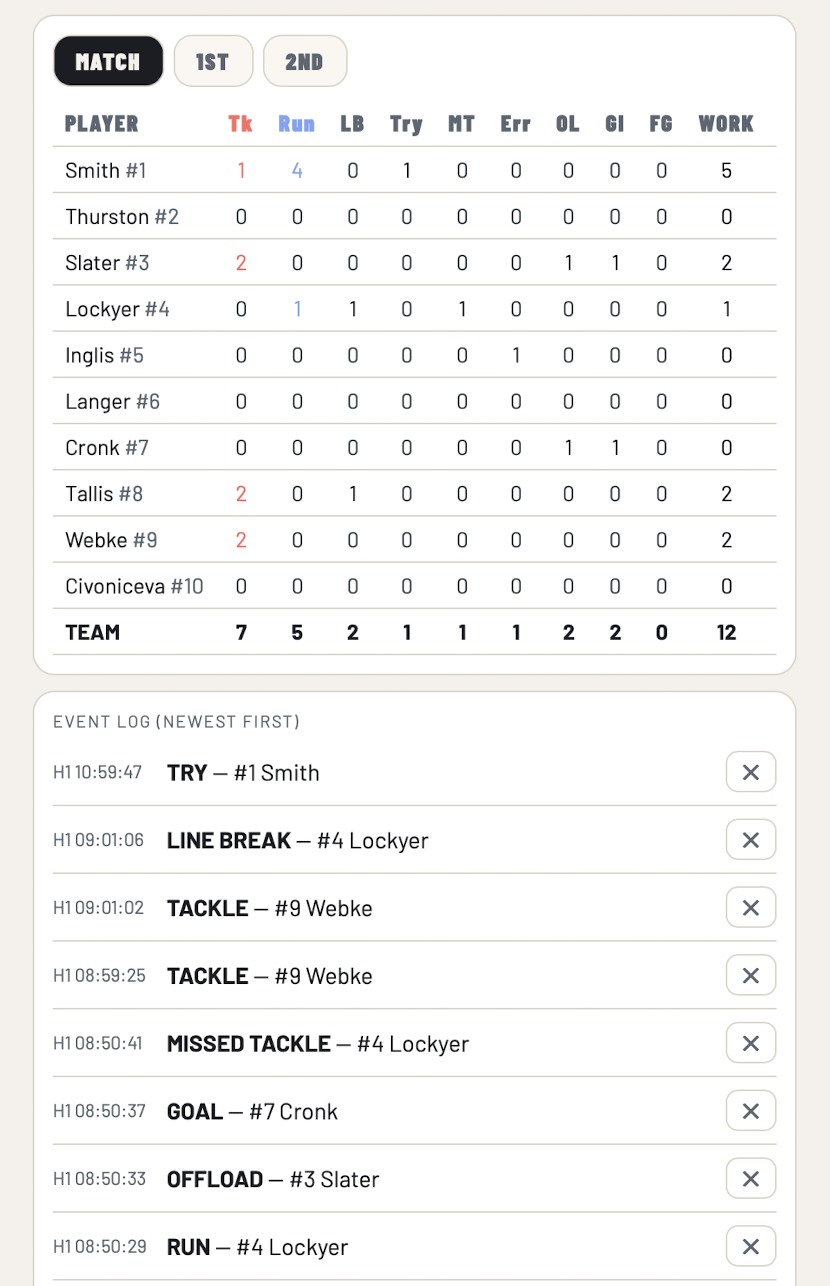
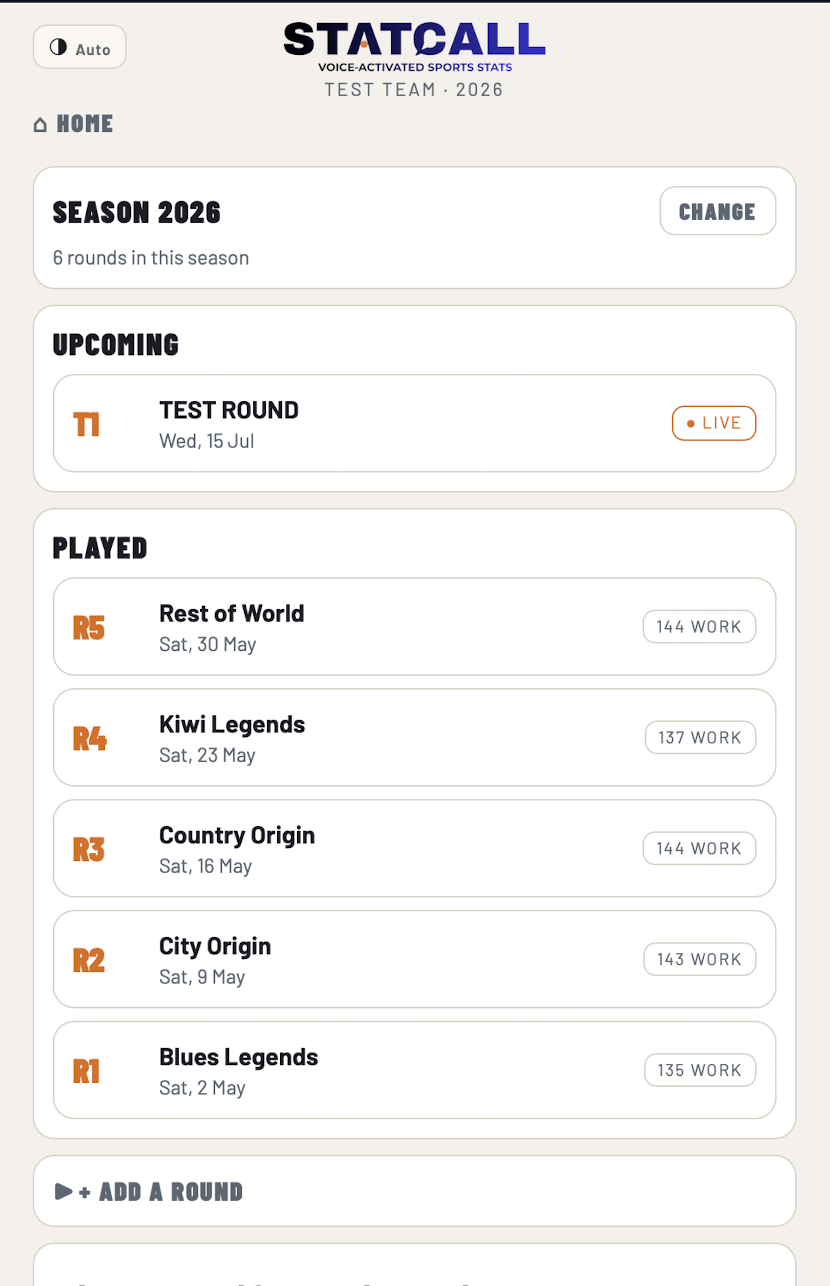
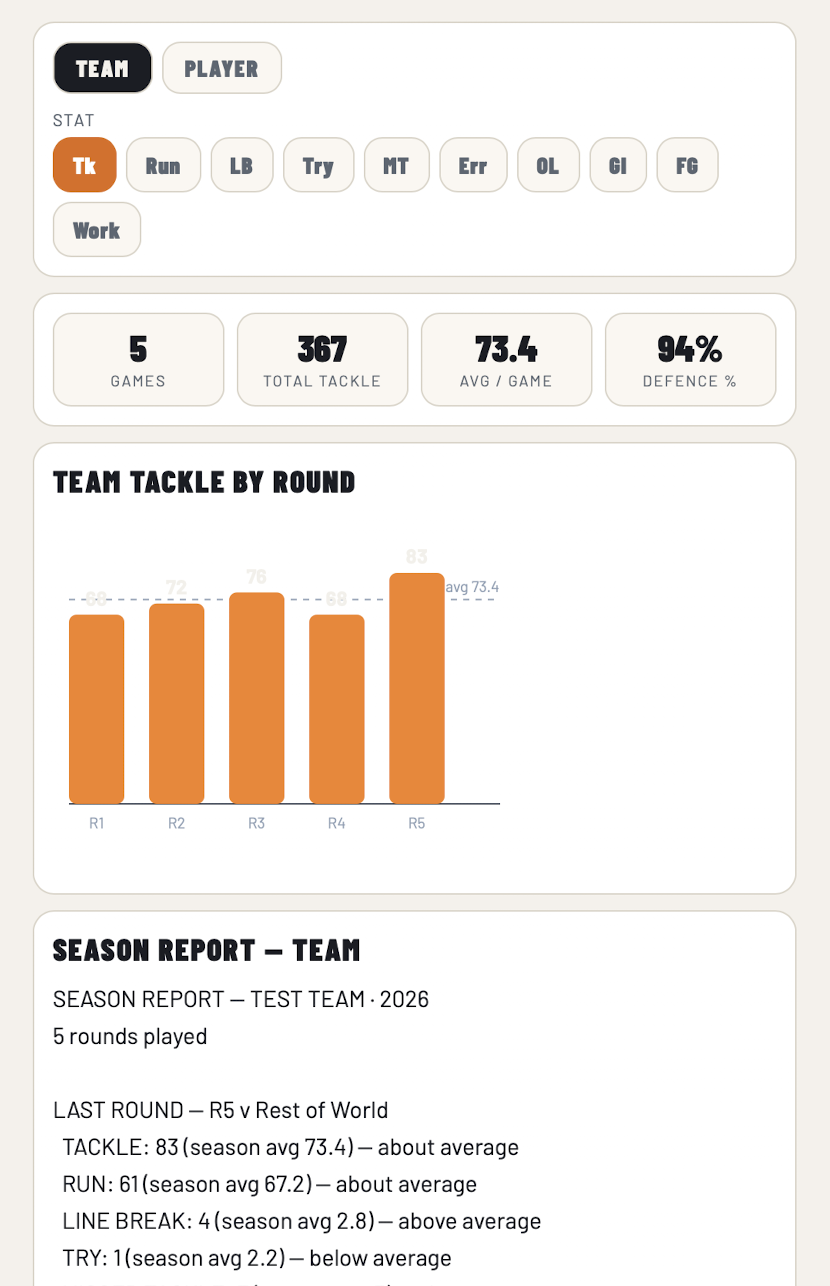
Screens shown with the free demo team.
What you get
Tackles, runs, line breaks, missed tackles, tries, errors, offloads and goals — per player, per round, across the whole season. Every stat, trigger word and point value is yours to change.
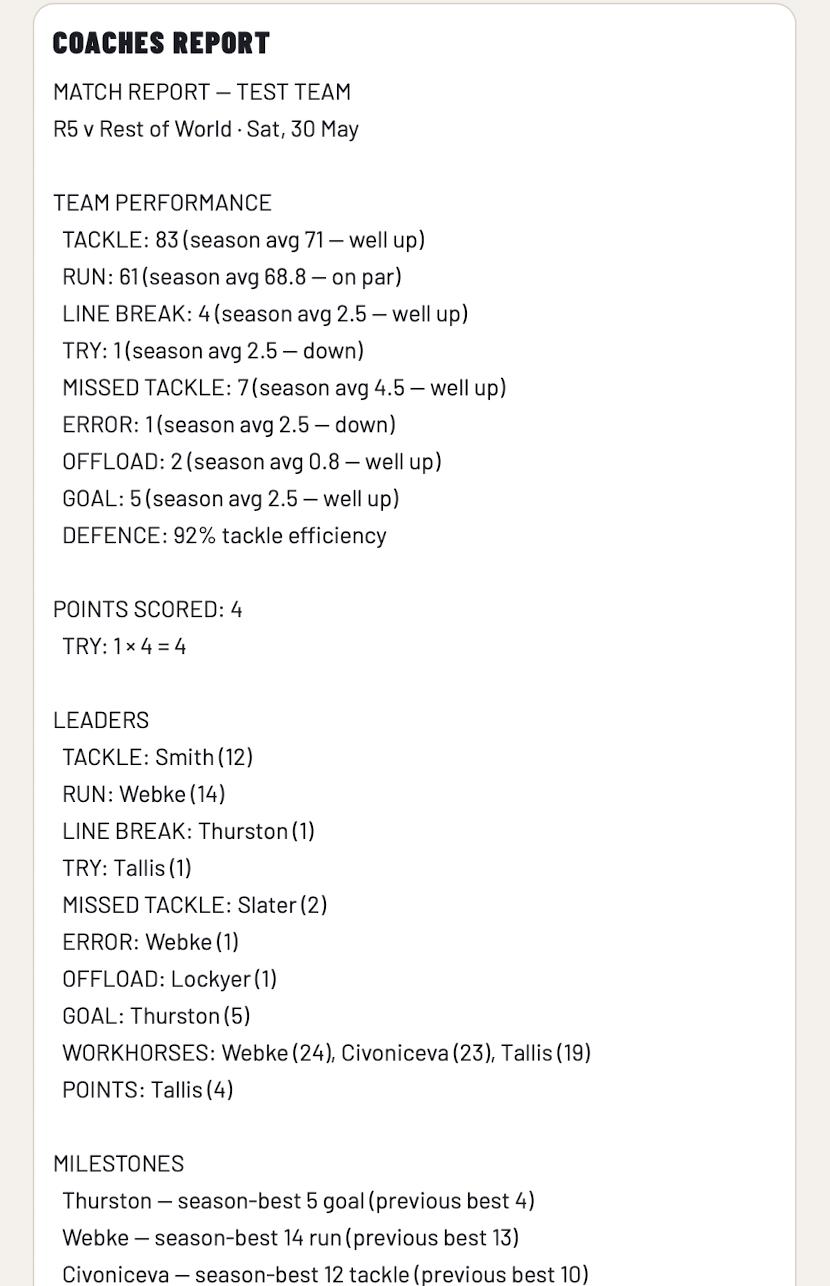
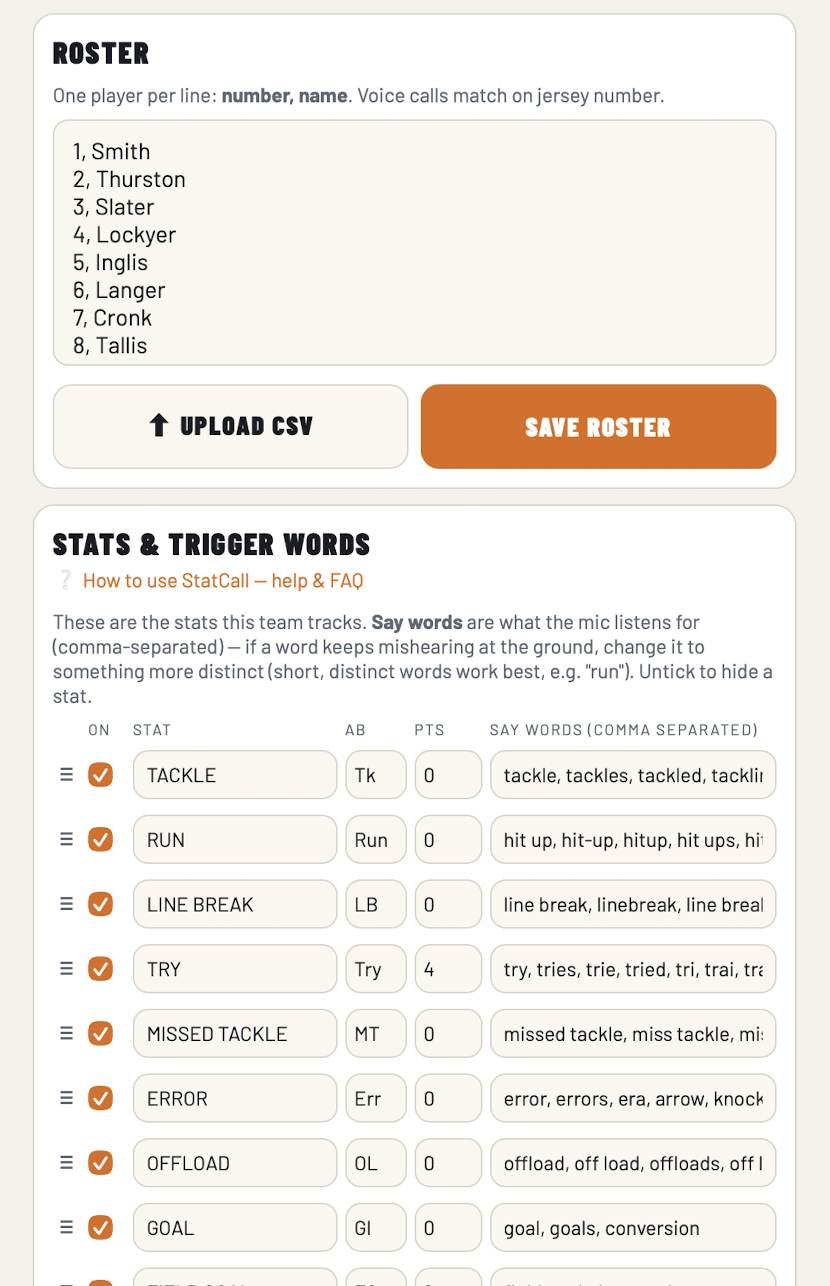
Tested in aeroplane mode on iPhone and Android — the voice logging keeps running with no connection at all. Start a match with no account and no signup, and sign in later only if you want it backed up.
Built around rugby league, but the stats, trigger words and point values are all yours to configure. League tag, touch, Oztag, AFL, basketball — if you call it by jersey number, it works.
Rosters are stored per season. Roll into next year, reuse the numbers, and every report from last year still says exactly what it said.
Every report saves as a PDF and every season exports to CSV, named after the team and round so you can find it later. Nothing is locked in.
Built for juniors
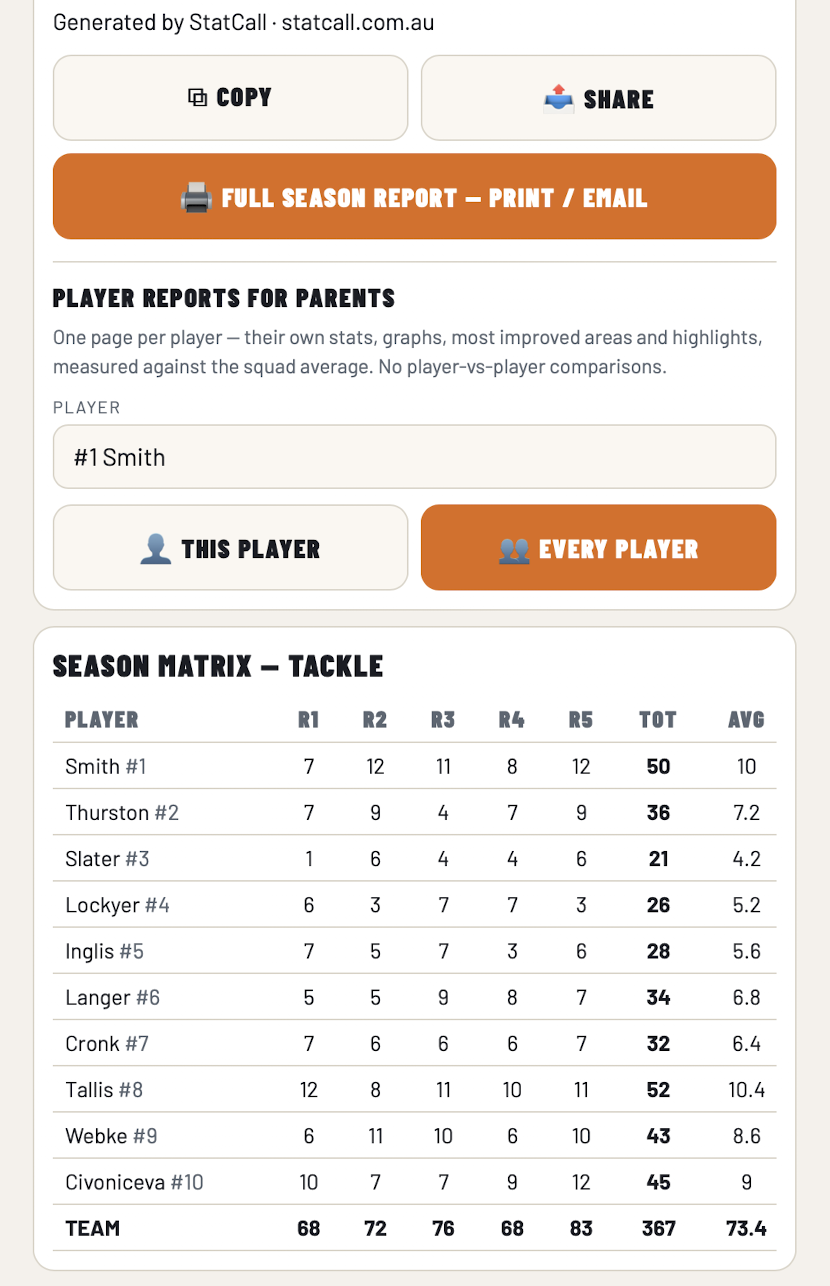
The fastest way to wreck a junior team is to hand parents a ranking of other people's kids. StatCall will not do it, and it isn't a setting you can turn on.
For clubs and associations
One arrangement across all your teams instead of thirty separate subscriptions, plus free access codes so your coaches can run a full round before anyone pays anything. Tell us how many teams you've got and we'll sort a price.
Pricing
The demo team is fully functional and free forever — call stats at it, generate the reports, see exactly what you'd be buying. You only pay when you want to track your own team.
Free forever
$39.99 / season
Let's talk
Prices in AUD. Subscriptions are billed through the App Store or Google Play and can be cancelled there at any time.
Questions
It listens for a stat word followed straight after by a jersey number. That pairing is what keeps sideline chatter out — someone yelling “tackle him!” with no number after it logs nothing at all.
The honest answer is that you should test it rather than take our word for it. Open the demo team on your phone right now and call a few stats at it. Ten seconds and you'll know.
You can tap any stat in manually — it's never voice-or-nothing — and you can edit or delete an event after the fact. Each stat also carries a wide list of trigger words, so “hit up”, “carry” and “run” all log the same thing.
If something does go wrong on you, email us. We push fixes to the live app, so an update reaches your phone without waiting on an app store review.
No — it works with the phone on its own. But a cheap clip-on mic with a furry windshield makes a real difference outdoors, because wind is what confuses speech recognition on an open field, not crowd noise.
A $20 one off Amazon does the job. You don't need anything expensive — you just want the mic close to your mouth and out of the wind.
No. Your teams, rounds and stats are stored on your device, so the app opens and runs with no connection — and the voice logging keeps working too. It's been tested in aeroplane mode on both iPhone and Android.
Signing in adds cloud backup on top of that, but it isn't required to use it. Half of junior footy is played somewhere with one bar, so it was never going to work any other way.
Yes. It ships with a rugby league stat set because that's where it started, but every stat, its trigger words and its point value are editable. If the sport is called by jersey number, you can set it up — league tag, touch, Oztag, AFL, netball, basketball.
No, and that's deliberate. A player report compares that child to the squad average and to their own earlier rounds. No named teammate ever appears in another child's report. It's built that way on purpose so the reports are safe to send home.
It stays on your phone unless you choose to sign in and back it up. If you do make an account, you can delete it — and every team, round and player in it — from inside the app or at statcall.com.au/delete-account.
Nothing is sold and nothing is shared. Everything exports to CSV and PDF whenever you want it.
Sign in on both phones with the same account and your teams sync between them. Anyone can also run the free demo team on their own device to get familiar before a round.
A small team on the Gold Coast. StatCall was built on the sideline of a junior Nerang side, because we wanted real data on our own team and there wasn't a way to get it without missing the game. If you've got a question or a feature you need, email hello@statcall.com.au and you'll get the people who build it, not a helpdesk.
Round one starts Saturday
Open the demo team, call three stats at it, and see the report. It takes about a minute and costs nothing.
